Security cameras have matured from isolated DVR boxes and coaxial cabling to IP-first systems that sit comfortably on home networks and play well with voice assistants. The shift brings better video quality, smarter alerts, and simpler access. It also introduces new decisions about topology, bandwidth, privacy, and ongoing maintenance. I design and install systems for homes and small businesses, and the difference between a setup that simply records and a setup that actually helps you manage your property comes down to planning and integration.
Start with what you need to see
Every install begins with a walkaround. I look at entry points, long sight lines, and choke points. Front doors and garages handle the most traffic. Side gates, alleyways, and rear sliders are the common blind spots. On two-story homes, soffits often hide clean cable runs and provide ideal mounting points with weather protection. Indoors, you usually want fewer cameras, not more: an open concept living room covering the main hallway is more useful than a camera watching a blank wall from five feet away.
Two questions steer the discussion. First, how will you use the footage - spot-check live views, scrub recordings after an event, or rely on smart notifications to tell you when to pay attention? Second, who needs access - just you, or additional family members, a property manager, or a monitoring service? The answers shape everything from camera selection to whether you push clips to the cloud.
Wired vs wireless CCTV systems
This debate can get heated. In practice, I treat them as tools for different jobs.
Wired IP cameras on Power over Ethernet typically deliver the best reliability and performance per dollar. One cable carries both power and data, runs up to 100 meters on Cat6 without extenders, and avoids the 2.4 GHz and 5 GHz congestion that makes wireless systems flaky. They also integrate cleanly with a network video recorder, which becomes your always-on, local repository with predictable retention.
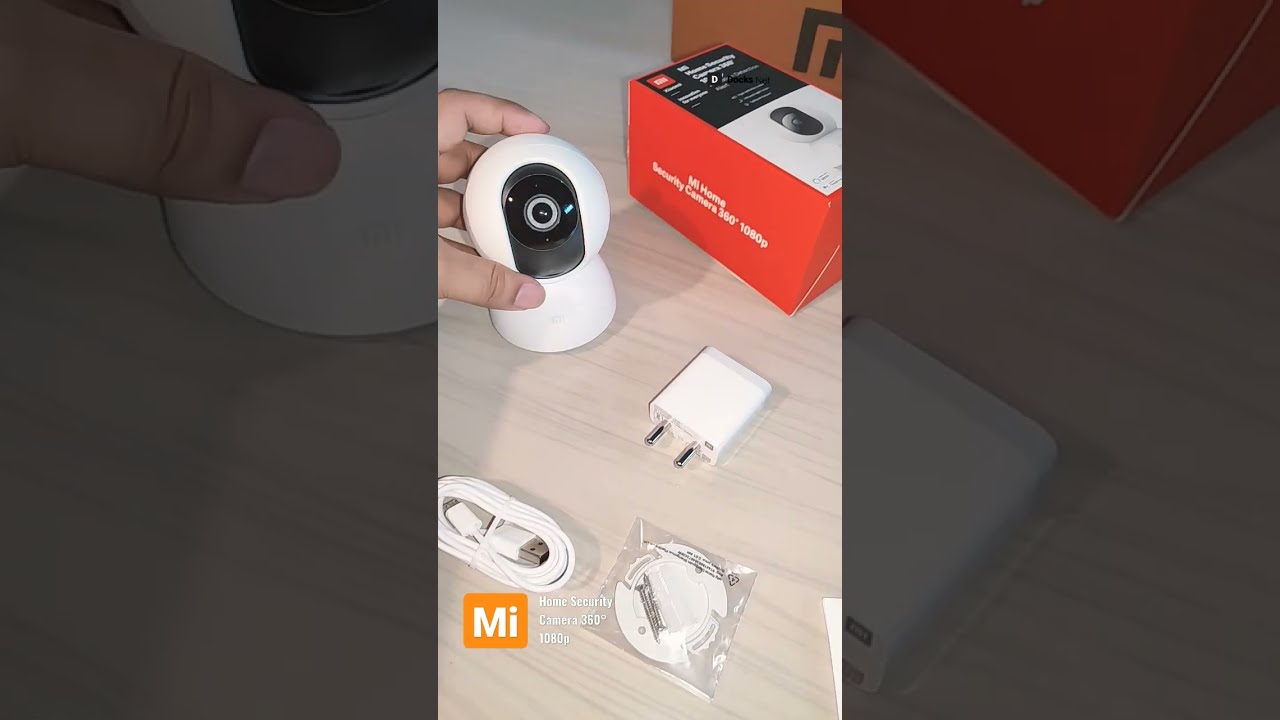
Wireless cameras have a place if you cannot pull cable or if the install is temporary. Battery-powered models mount anywhere and talk to a hub, but someone will need to recharge them, often more than advertised when motion is frequent or if you enable high-bitrate recording. Plug-in Wi-Fi cameras remove the battery hassle yet still depend on signal quality and good Wi-Fi design.
For a permanent home surveillance system installation, I default to wired where possible and fill the gaps with wireless, but only after confirming signal strength and interference. If you want cameras on a detached garage, consider a point-to-point wireless bridge or conduit with fiber, rather than crossing your fingers with a long Wi-Fi hop.
Image quality is not the same as resolution
Marketing pushes megapixels, but clarity hinges on lens selection, sensor size, compression, and scene lighting. A 4 MP camera with a larger sensor and a proper lens can beat a 8 MP model with a tiny sensor and aggressive noise reduction. Infrared cut filters, wide dynamic range, and low-bit-rate codecs all matter.
Choosing the right lens for CCTV is where many installs go wrong. Field of view is a trade-off. A 2.8 mm lens captures a broad scene, great for situational awareness, but faces look tiny beyond 15 to 20 feet. A 6 mm or 12 mm lens narrows that view, giving you usable identification at the driveway or gate. On corner lots, I like one wide lens for context and a second tighter lens aimed at the sidewalk path or gate latch. Varifocal lenses, often 2.7 to 13.5 mm, let you dial in coverage precisely during installation instead of settling for whatever the fixed lens gives you.
At night, cheap IR arrays overexpose near objects and leave the background dark. I prefer cameras with smart IR that auto-adjust power, or better yet, a low-light model that can hold color at night under porch lights. Color images preserve details like clothing and car paint that monochrome IR washes out. If you have the option, add low-profile, 3000K LED floods on motion to keep scenes evenly lit and discourage intruders.
Outdoor vs indoor camera setup
Outdoors, weather rating and mounting hardware come first. Look for IP66 or IP67 housings and metal mounts that can take wind and installers’ torque without sagging. Seal penetrations with exterior-grade silicone, slope the drip loop downward, and leave a service loop tucked behind the mount. Avoid aiming across busy roads or direct headlights unless you have a strong WDR camera; headlights can pulsate IR cut filters and ruin recordings.
Indoors, avoid placing cameras in bedrooms or bathrooms. For living areas, a domed form factor looks less aggressive and resists tampering. If you need audio for intercom or baby monitoring, confirm your state’s consent laws. Place indoor cameras high enough to reduce tampering, but not so high that faces distort into the ceiling view. Be mindful of reflections from windows and glossy surfaces that will trigger motion algorithms as sun angles change.
Smart home integration that actually helps
Adding voice assistants and smart platforms like HomeKit, Google Home, and Alexa can make the system easier to use without compromising security. The key is to integrate selectively.
Smart speakers are great for quick pulls: show the driveway on the kitchen display while you’re cooking, or cast the front door camera to a living room TV when the doorbell rings. Motion events can drive smart lighting to flood a side yard. If you run a home automation controller like Home Assistant or Hubitat, you can create scenes that respond to camera analytics, not just raw motion. For instance, only trigger the side floodlights when the camera’s person detection fires between 11 pm and 5 am, ignoring passing cats and squirrels.
Privacy boundaries matter. Restrict voice commands that reveal camera feeds when you’re away. Set up voice profiles and limit streaming from indoor cameras to specific displays. If the platform supports it, keep local processing for person or vehicle detection on the NVR or camera instead of shipping frames to the cloud.
Doorbell cameras sit at the intersection of access control and surveillance. A PoE video doorbell tied to the same NVR provides unified retention and analytics. If you prefer a retail doorbell, bridge its events into your automation platform so you can trigger chimes, lights, and announcements in a consistent way.
Designing the network for video
IP camera setup guide principles are straightforward, but small missteps cause big headaches. I allocate a dedicated VLAN for cameras and the NVR, then permit only the traffic required for control and viewing. Isolating cameras limits the blast radius if a device gets compromised and prevents multicast or broadcast traffic from polluting the main LAN.
Power over Ethernet simplifies installation. A PoE+ switch with headroom works best. Budget your power draw. A typical turret camera pulls 6 to 9 watts with IR on. PTZs can hit 30 watts or more at full tilt. Do the math before you buy the switch. If you expect future expansion, choose a switch with 25 to 50 percent extra PoE power and a few spare ports.
Bandwidth and storage need planning. A 4 MP stream at 15 fps with H.265 compression can sit around 1.5 to 4 Mbps depending on scene complexity. Multiply by the number of continuous recording cameras to estimate uplink and storage. Variable bitrate keeps quality consistent across scenes, but set a sensible floor so the camera does not starve the stream in low-motion scenes. On the storage side, use surveillance-grade drives rated for 24/7 writes. For a small home system with six cameras recording on motion at 15 fps, a 6 TB drive often yields two to four weeks of retention, though actual results vary based on motion frequency.

If remote viewing matters, consider upstream bandwidth. Many cable connections have limited upload. A good NVR supports substreams - a lower-resolution feed for remote use - so you can browse without choking the link. Reserve full-resolution playback for events you truly need.
The NVR as the anchor
A network video recorder setup ties the system together. I prefer NVRs that support ONVIF Profile S and T so you are not locked into one camera brand. Look for models with decent CPU headroom, enough drive bays to hit your retention targets, and a web interface that does not feel like it shipped in 2012. Hot-swap bays and RAID on larger systems reduce downtime if a drive fails, though for homes a single-drive model with good backups is often sufficient.
Set recording rules with intent. I typically use motion events to start clips, then add a pre-roll of 5 to 10 seconds and a post-roll of 30 to 60 seconds so you catch context. If your cameras support smart analytics like line crossing or human detection, let the NVR index those events. That means when you search, you are not scrubbing hours of trees moving in the wind.
Secure the NVR. Change default credentials, disable unused services, and keep firmware updated on a schedule, not haphazardly. If you expose remote access, use a VPN rather than port-forwarding the NVR web interface.
Voice assistants without oversharing
Alexa and Google Assistant integrations are popular and effective when configured carefully. Enable camera skills that allow casting to a smart display, but turn off cloud recording features you do not plan to use. Set an inactivity timeout so a camera does not stay on the display indefinitely. For voice commands, keep the phrasing short and memorable. Households with kids benefit from separate profiles and requiring a pin or confirmation for unlocking smart locks associated with camera events.
Apple HomeKit treats privacy more conservatively. HomeKit Secure Video keeps analysis on Apple devices and encrypts footage end-to-end in iCloud. If your chosen cameras do not support HomeKit natively, a bridge like Homebridge or Scrypted can expose RTSP streams to HomeKit with accessories for motion and doorbell events. Expect a bit of tinkering, but once it runs, the automations feel seamless: turn on the foyer light when the front door camera sees a person after sunset, reduce notifications when family is home, record only when nobody is detected inside.
Professional quality vs DIY shortcuts
Some homes are straightforward. Others, with stucco walls, finished attics, long runs, and limited crawlspace access are not. That is where professional CCTV installation earns its keep. Efficient cable routing often saves hours, and you avoid weak points like splices tucked behind drywall or cameras powered by undersized adapters. A pro will meter PoE power, test cable integrity with a certifier, and optimize camera angles before drilling permanent holes. If you need security camera installation Fremont or the surrounding Bay Area, the difference between a https://connershkd540.timeforchangecounselling.com/wired-vs-wireless-cctv-systems-in-apartments-and-condos quick ladder job and a well-planned install shows up the first time you pull footage under pressure.
Even with professional help, insist on documentation: a camera map, cable labels, switch port assignments, and admin credentials stored in a secure manager. Ask for a short training session on the NVR interface and event search. Good installers include a follow-up visit after a week so you can tweak motion zones and notifications once you see real-world patterns.
Smart alerts that don’t drive you crazy
False alerts erode trust. If your phone buzzes 100 times a day for shadows and leaves, you will eventually ignore the one alert that matters. Tame this with layered rules. Draw tight motion zones around pathways, doors, and vehicles rather than letting the entire frame trigger events. Use schedules to suppress daytime alerts if your porch gets constant delivery traffic, then re-enable them overnight. Where available, rely on human and vehicle detection instead of generic motion, and combine both with a minimum object size filter.
Audio triggers can be useful outdoors, especially in quiet neighborhoods. A sudden loud sound can start a recording even if the motion algorithm missed the initial movement. Indoors, be cautious with audio recording; it may capture conversations you did not intend to store. If you enable it, set shorter retention and be transparent with everyone who lives or works in the space.
Business-grade considerations at home
Many homeowners want features common in small commercial deployments: multi-site viewing, user roles, elevated retention, and higher resilience. The line between home and commercial CCTV system design is thin when you add outbuildings, home offices, and rental units.
For multi-tenant or short-term rental spaces, use cameras with privacy masks and separate recording schedules. Set up distinct user accounts that limit access to specific cameras. If you host client meetings in a home office, keep indoor cameras off during those hours and display a small notice when recording is active. If you need long retention, add a secondary archival strategy: weekly offloads of critical events to a NAS, or cloud storage for flagged clips only, not everything.
When selecting the best cameras for businesses in mixed-use residential properties, I prioritize models with dependable firmware updates, ONVIF compliance, and solid low-light performance over exotic features. A camera that works predictably for the next five years is more valuable than one loaded with beta-grade analytics that may break with the next update.
Practical installation details that pay off
Most problems I fix later were cheap to avoid. Terminate Cat6 with care, then test. Tug gently on every RJ45 to catch a poor crimp before the camera is 18 feet up. Use exterior-rated cable or UV-resistant conduit outdoors. Ground surges matter; add surge protectors at runs exposed to lightning risk or long wire paths alongside exterior walls. On stucco and masonry, use appropriate anchors and hit framing where possible. Paint cable covers to match trim for a clean look that will age well.
At the NVR, keep cables labeled and bundled with Velcro ties, not zip ties cinched to death. Leave slack for maintenance. If your switch is fan-cooled and lives in a closet, monitor temperature; cheap unmanaged switches run hot, and camera ports will drop under sustained PoE load if thermal limits are hit. A small vent or quiet fan solves headaches later.
The bare minimum security hardening
Cameras are tiny computers. Treat them with the same respect you give a laptop on your network.
- Rename default accounts and use unique, strong passwords. If possible, disable unused accounts entirely. Put cameras on a dedicated VLAN and block direct internet access unless a feature demands it. Keep firmware updated, but avoid same-day updates on production systems. Stage one camera first, then roll out. Turn off UPnP on the router and do not forward ports to cameras. Use a VPN to view feeds remotely. Inventory devices and note serial numbers. If a camera disappears from the network, you should know which physical unit to check.
When to consider specialty cameras
Most homes do fine with fixed turrets or bullets. A few scenarios call for something else. A driveway with frequent deliveries benefits from a varifocal lens you can tighten to fill the frame with plates and faces. A wide courtyard or backyard may justify a 180-degree multi-sensor camera that merges images without fisheye distortion. Long fences or acreage sometimes merit a small PTZ with guard tours, but only when you have someone who will actually use it; PTZs left on auto-tours often miss the moment when it matters.
License plate capture is its own discipline. True LPR cameras run high shutter speeds and IR tuned to avoid reflective glare. They demand careful aiming and specific mounting heights. If plate reads are a must-have, dedicate a camera to that job and use a second camera for overall scene context.
Maintenance makes the system
Set a recurring reminder every quarter. Clean domes with water and a microfiber cloth. Spider webs and pollen degrade image quality more than most people realize, and IR will make webs glow like fireworks. Check time sync; if the NVR or cameras drift, your event timelines and exported clips will not line up. Review storage health and the SMART status on drives. Scroll through recent events to confirm that motion zones still make sense as landscaping grows and furniture moves.
After major firmware updates, re-verify integrations with voice assistants and automations. A small change to an API or device name can break routines quietly. Keep a simple changelog so you can unwind settings if a new feature causes instability.
Budgeting with long-term costs in mind
Upfront, expect a professional, wired eight-camera install with quality mid-range gear to land in the low to mid four figures depending on cable difficulty and gear selection. Wireless reduces labor but may increase ongoing battery or troubleshooting effort. If a vendor bundles cloud services, read the fine print on storage limits and retention. Over three to five years, a local NVR with a couple of drive replacements often costs less than cloud-only plans at similar retention.
Choose gear from manufacturers with a track record of security updates and parts availability. Saving 15 percent on cameras today is not worth a dead end in two years when you need a replacement lens or want to add a matching model.
A brief plan you can follow
If you want a distilled path from start to finish, here is a short, practical sequence I use on typical projects:
- Walk the property and mark coverage priorities: entries, vehicles, gates, and shared spaces. Decide wired or wireless per location, then pick lenses for identification at key distances. Design the network: PoE switch sizing, a camera VLAN, and NVR storage for your retention goal. Mount and aim cameras, test streams, set motion zones, and calibrate analytics before final tightening. Integrate with your voice assistant and automations sparingly, focusing on a few high-value routines.
Adapting commercial discipline to homes
Good commercial practices scale down well. Document configurations. Separate networks. Train users. Test quarterly. When integrating with smart home systems, treat convenience as a layer on top, not the foundation. Cameras should continue to record and notify on their own if a cloud service or voice platform goes offline. If you can pull up a relevant clip in under one minute without help from anything outside your network, your system is resilient.
Effective home surveillance is rarely about one feature. It is the sum of clear images, reliable recording, thoughtful alerts, and intuitive access for the people who need it. Add voice assistants and smart home integration where they truly add speed or safety. Avoid flashy settings that create noise. The result is a system you will actually use, not just admire on install day.